Tag Archive for 'software'

One Boot Fits All

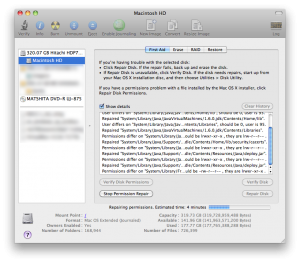
iMac discWhile people would rarely choose to share their boots, its perfectly acceptable to share ones boot disk. Amongst your computers that is. After a series of unfortunate events surrounding my Mac OS X Leopard disc, I found that there are many ways you can get a fresh copy of OS X running on your Mac.

It started a few months ago when I got my new iMac. Long story short; it was a disaster, I got a new one, its a little off as well.. Anyways, it scratched my Leopard DVD. No problem though, I acquired a new image and tried to burn it to a double-layer DVD. Toast quit halfway through and seems to have toasted the DVD drive. The half-baked disc was stuck in my iMac and the drive isn’t recognized anymore. This pushed me to find a different way to install OS X, and I learned a lot in the process.

Continue reading ‘One Boot Fits All’

MobileMe Without the MassiveFee

Want to sync to your address book, calendar, and bookmarks? Don’t want to pay $100 a year? Doh. That’s the answer of yesterday, because I’ve got some news for you. Now you can sync your stuff seamlessly and for FREE. That’s right, after waiting on a little or no cost solution for years; someone has finally stepped up to the plate. Fruux is an amazing service available to us Mac OS X users at literally no cost (in dollars, mental anguish or otherwise).

fruux is a lightweight and convenient system preference pane, that syncs your Address Book, Calendars, Tasks and Bookmarks between different Macs.

Continue reading ‘MobileMe Without the MassiveFee’

Big Ideas for a Mac mini

I’ve long dreamed of setting up a Mac based media center. So during the past few days I’ve been testing out some solutions to this little problem. There are the obvious ones, like the AppleTV, and then some more complicated mixtures of hardware and applications. 

My goal is to sync or stream all of my digital media (music, TV shows, movies, pictures etc) to a large SDTV (standard definition television) in the family room.

 1) AppleTV

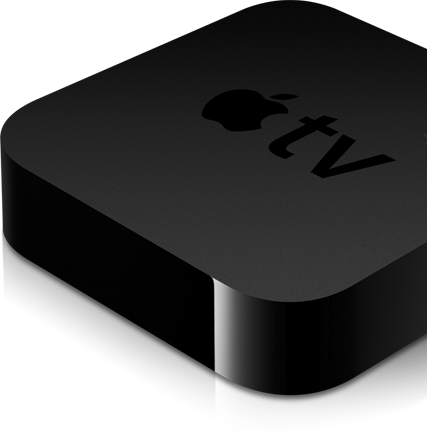
The AppleTV is an amazing little box. It’ll sync or stream nearly all of your media from any computer that can run iTunes. There’s also some nifty plugins to extend its functionality. On paper it looks perfect, but in practice it caries a number of limitations.

  • Initial cost
  • File type limitations (think DIVX etc)
  • Limited configurability/tweaking
  • No support for SDTVs

These limitations are somewhat superficial, I could solve most of them by hacking and having a bigger wallet. At this time, however, the AppleTV just isn’t a viable option.

Continue reading ‘Big Ideas for a Mac mini’

Inter-A on WordPress

I finally moved the Inter-A website over to WordPress. There were a number of advantages to the move which I’ll outline below.

  • Painless adding and editing of content.
  • Multiuser editing (students, teachers)
  • Easy plugins for extended functionality
  • Save draft content for review
  • Great SEO
  • Administration time cut in half

On top of the switch to WordPress, I also updated the theme of the site. Its a more minimalist and elegant. I also decided to bring the resolution back down 800px width. In a world with such disparity in resolution, its best practice just to keep as many people as happy as possible. In this case that meant supporting 800×600ers who were complaining about the change ever since I made it. I tried the experiment, my audience just isn’t ready for it yet.

So far I’m very happy with the move. We’ll see how it goes and wether or not its easy enough for technically challenged students and faculty to deal with.

Starting Your MyBB Theme

Great, you’ve added a forum to your website. Now what? Giving your forum the right look and feel is more important than you might think. In this post I’ll go over the basics of creating your very own MyBB theme. 

  1. Choose your colours: always pick ones that have good contrast and compliment each other. You can read a good post about colour schemes on the MyBB Comunity forums.
  2. Pick a font: stick with one basic font throughout the content areas. Variations on size and colour are acceptable, and the header is free for creative expression.
  3. Plan your header: the top of your site is the first thing your visitors will see, and it makes big impressions. Be creative with your header and make it unique. Stay away from things like flash banners or unoptimized images.
  4. Spacing and borders: consider how much spacing you want between elements of your forum. The balance of padding, margins and borders is crucial for both functionality and ascetics.
  5. Think different: I can’t say this enough. Customize the theme to fit your forum’s purpose as best you can. Users will develop a stronger connection with forums that have interesting discussion and a unique look. 

These are some brief considerations to help start the planning of your theme. In future posts I intend to look at the technical side of things and even develop a new theme step-by-step.